Google Business Profile Checklist to Improve Your Ranking

If you want your Google Business Profile to rank higher, get more calls, and attract more customers, you need every part of the profile set up correctly.

Most businesses leave important sections incomplete or make small mistakes that block their visibility.

This simple checklist shows you everything you must complete – step by step – to make your profile strong, trusted, and ready to rank.

Download it free. Use it today. | No guesswork. No confusion. | Just a clear list of what matters.
Download the Free Google Business Profile Checklist

This checklist helps you fix common ranking issues, avoid suspensions, and understand what Google actually expects from your business.

Get the Checklist PDF

Illustration showing Google Business Profile setup and optimization steps, including correct listing setup, compliance checks, review signals, and actions to prevent profile suspensions

What the Checklist Covers

The checklist walks you through all the steps required to build a strong, complete Google Business Profile.

Business Information Setup

  • Correct Business Name
  • Category selection
  • Business description
  • Phone number
  • Address or service area
  • Working hours
  • Website link
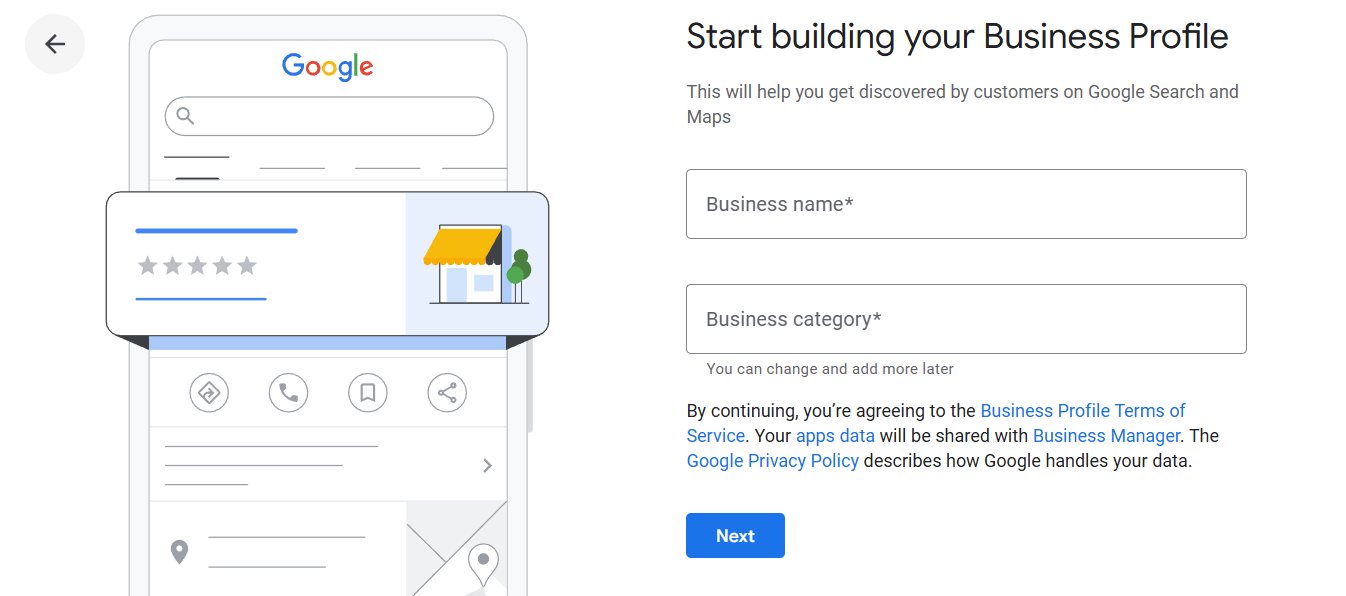
Google Business Profile setup screen showing the start of business registration with fields for business name and business category, helping businesses create a profile to appear on Google Search and Maps.
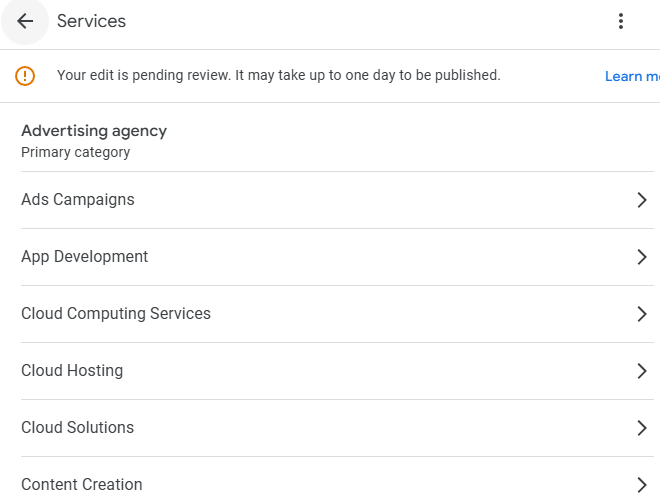
Google Business Profile services section showing an advertising agency category with listed services pending review.

Services, Products & Attributes

  • Adding accurate services
  • Adding products (if needed)
  • Setting attributes (women-led, veteran-owned, etc.)
  • Listing service areas correctly

Photos & Media Requirements

  • Minimum number of photos
  • Geo-relevant images
  • Image quality standards
  • Logo and cover photo checklist
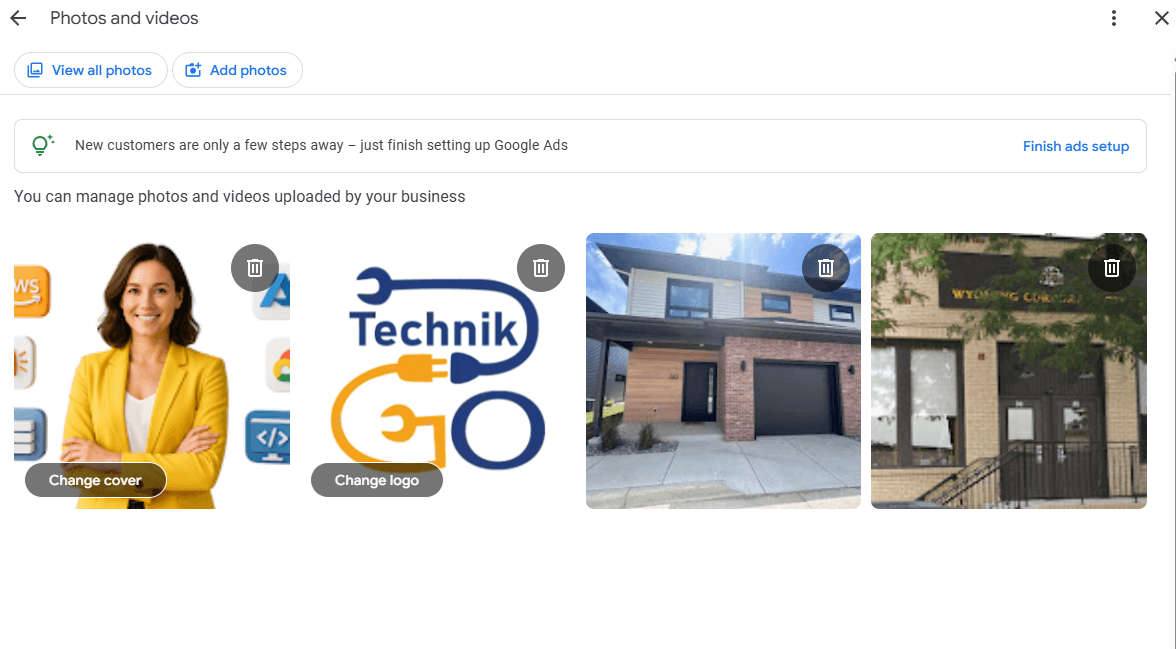
Google Business Profile photos and videos dashboard showing uploaded business images, including a professional cover photo, TechnikGo company logo, residential office building exterior, and a Wyoming Commerce building sign, with options to change cover, change logo, add photos, and manage uploaded media.
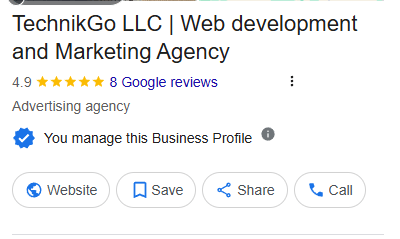
TechnikGo LLC Google Business Profile listing showing the business name “TechnikGo LLC Web development and Marketing Agency,” a 4.9 star rating with 8 Google reviews, category listed as Advertising agency, and action buttons for Website, Save, Share, and Call.

Verification Essentials

  • When to choose video verification
  • What documents you need
  • What Google looks for during verification

Performance Tracking

  • Category alignment
  • Keyword-ready descriptions
  • Correct service list order
  • Business highlights
  • Google Posts checklist
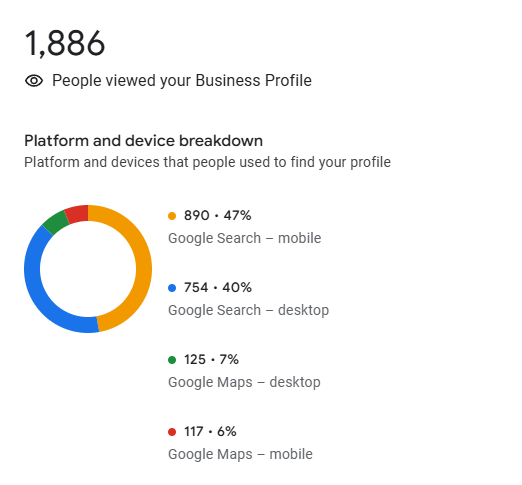
Google Business Profile insights showing 1,886 people viewed the business profile. A platform and device breakdown chart shows 47 percent from Google Search on mobile, 40 percent from Google Search on desktop, 7 percent from Google Maps on desktop, and 6 percent from Google Maps on mobile.
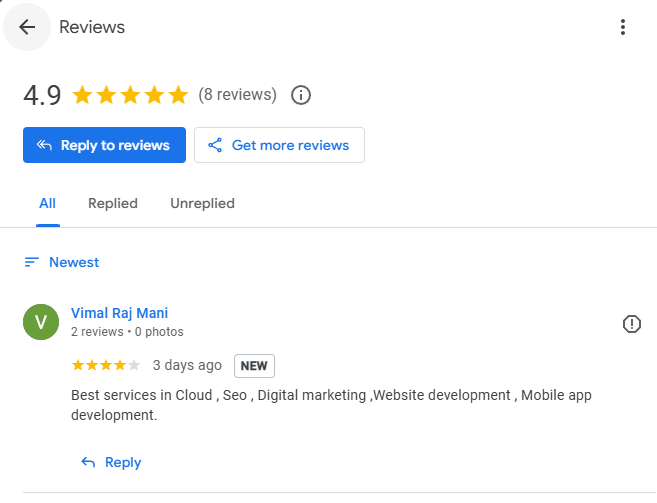
Google Business Profile reviews page for TechnikGo LLC showing a 4.9 star rating from 8 reviews. A recent review by Vimal Raj Mani posted 3 days ago praises cloud services, SEO, digital marketing, website development, and mobile app development. Options to reply to reviews and get more reviews are visible at the top.

Review Strategy Checklist

  • How to ask for reviews safely
  • How to reply to reviews
  • What triggers Google to hide reviews

Spam & Safety Checklist

  • Things that cause suspensions
  • Red flags to avoid
  • Safe editing practices
  • Duplicate listing checks
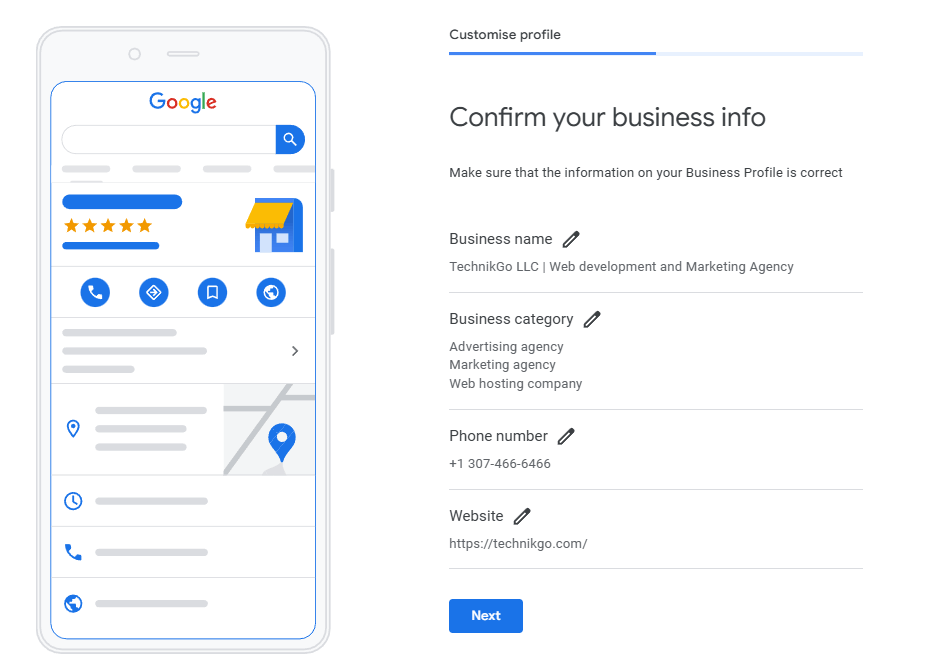
Google Business Profile setup screen asking to confirm business information for TechnikGo LLC. The page shows the business name, categories (advertising agency, marketing agency, web hosting company), phone number, and website, with edit icons next to each field and a Next button at the bottom.
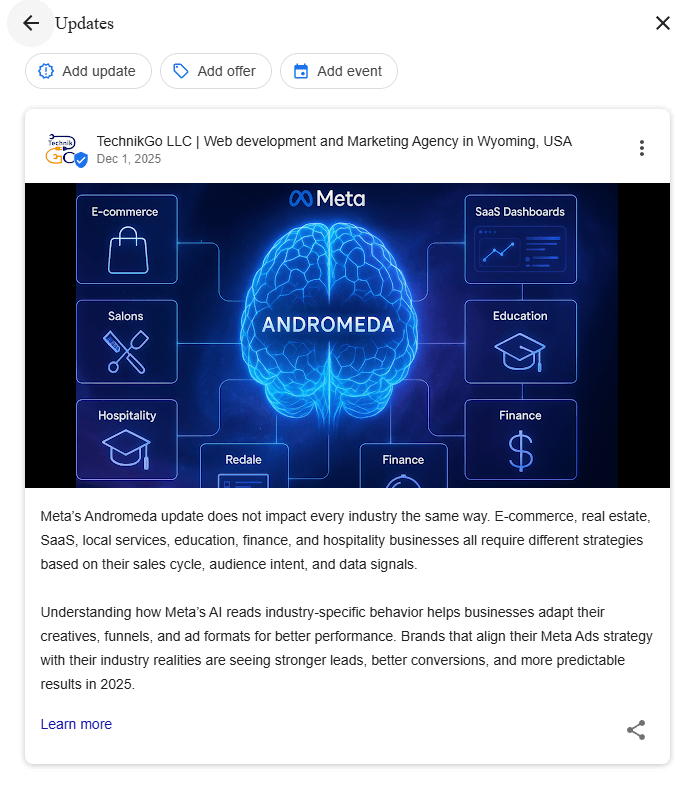
Google Business Profile update post by TechnikGo LLC showing a Meta Andromeda themed graphic with a glowing AI brain and industry icons for e commerce, SaaS, education, finance, salons, hospitality, and real estate. The post explains how Meta’s Andromeda AI update affects different industries and why ad strategies must align with audience intent and data signals for better performance in 2025.

Ongoing Activity Checklist

  • Weekly posting
  • Monthly photo updates
  • Category alignment checks
  • Review monitoring
  • Competitor check-ins

Who This Checklist Is For

This checklist is useful for:

  • Business owners
  • Agencies
  • Freelancers managing local clients
  • Storefront businesses
  • Service-area businesses
  • New businesses setting up profiles
  • Businesses trying to improve ranking
  • Teams managing multiple locations

If you want a strong, clean Google Business Profile, this checklist helps you get there.

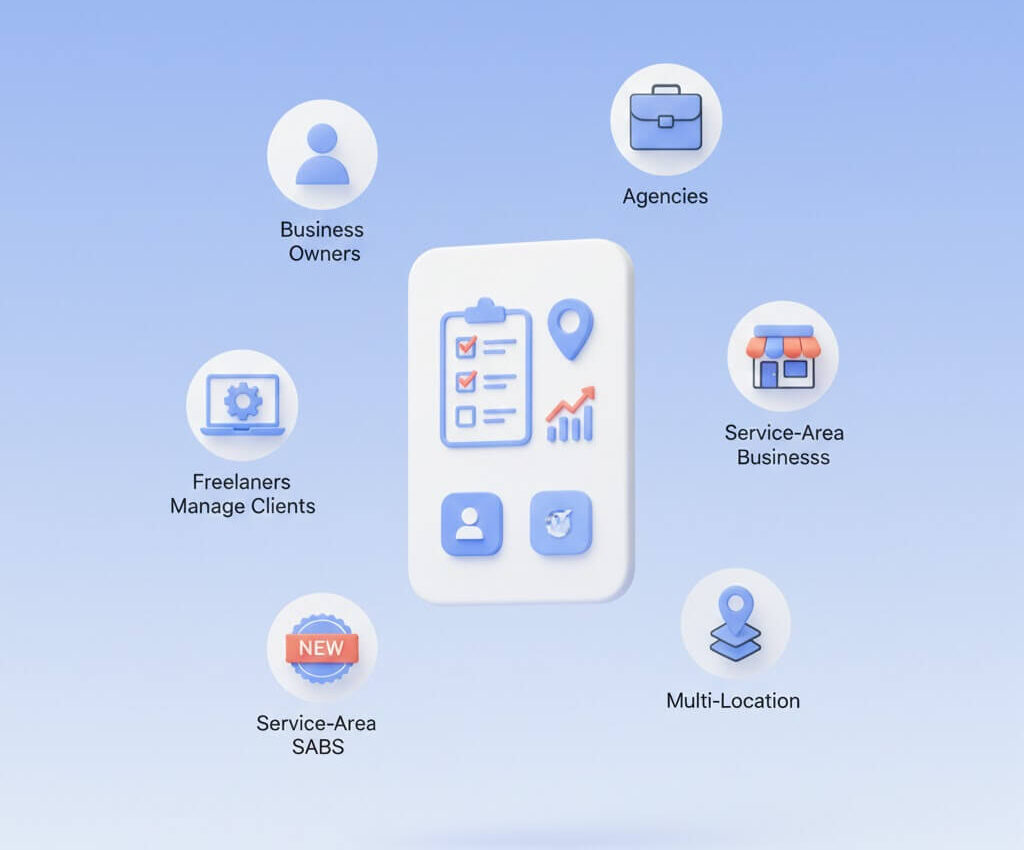
Graphic showing Google Business Profile services designed for business owners, agencies, service area businesses, multi-location companies, and freelancers managing client listings
Simple visual explaining clear Google Business Profile optimization, showing checklist items, ranking growth, trusted map listings, and easy-to-understand local SEO steps

Why This Checklist Works

Most guides online are confusing.
This checklist is simple:

  • No long explanations
  • No technical language
  • No unnecessary steps

Just the exact items Google expects from a complete, trusted, well-optimized profile.

You’ll know exactly what to fix first, what to fix later, and what matters most for ranking.

How to Use the Checklist

Step 1 - Download the PDF

Quick, simple, and ready to use.

Step 2 - Complete Each Section

Follow the checklist page by page.

Step 3 - Fix Missing or Weak Parts

Address categories, services, reviews, photos, and information.

Step 4 - Track Your Improvements

Most businesses see better visibility within weeks once they complete everything.

Step 5 - Request a Free Audit (Optional)

If you want real guidance, request a detailed audit after finishing the checklist.

Common Questions About the Checklist

Q1: Is the checklist free?

A: Yes. You can download it without paying.

Q2: Do I need this if my profile already exists?

A: Yes. Most existing profiles are incomplete or misconfigured.

Q3: Will this help me rank higher?

A: Yes. Completing key items improves ranking and trust.

Q4: Is this for both storefront and service-area businesses?

A: Yes. It covers both.

FAQ section graphic explaining Google Business Profile services, including free audit availability, support for existing listings, ranking improvement, and suitability for all business types

Download Your Free Checklist and Improve Your Profile Today

Stop guessing what matters.
Use this simple checklist and complete your profile the right way.