
Google Business Profile low views mean fewer people are seeing your profile in Search or Maps results. Views measure visibility, not customer actions. When views are low, it usually signals a reach problem rather than an engagement issue.
There is an important difference between views and actions. Views show how often your profile appears to users, while actions include calls, website clicks, or direction requests. A profile can have strong actions but still suffer from low views if visibility is limited to a small audience.
Low views often indicate visibility problems. This can happen when your profile does not match relevant search queries, appears less frequently in Maps, or loses prominence due to inactivity or competition. Reduced impressions usually come before drops in actions.
Google counts profile views when your business appears in Search results, Maps listings, or local packs. These views are influenced by relevance, distance, prominence, and activity signals. When any of these weaken, profile views decline even if the business itself has not changed.
Understanding what low views mean helps diagnose the root cause and guides the right visibility improvements.
Google Business Profile low views usually occur when Google cannot confidently match your profile with relevant searches or when stronger competitors appear more visible. Several common issues can reduce how often your profile is shown.
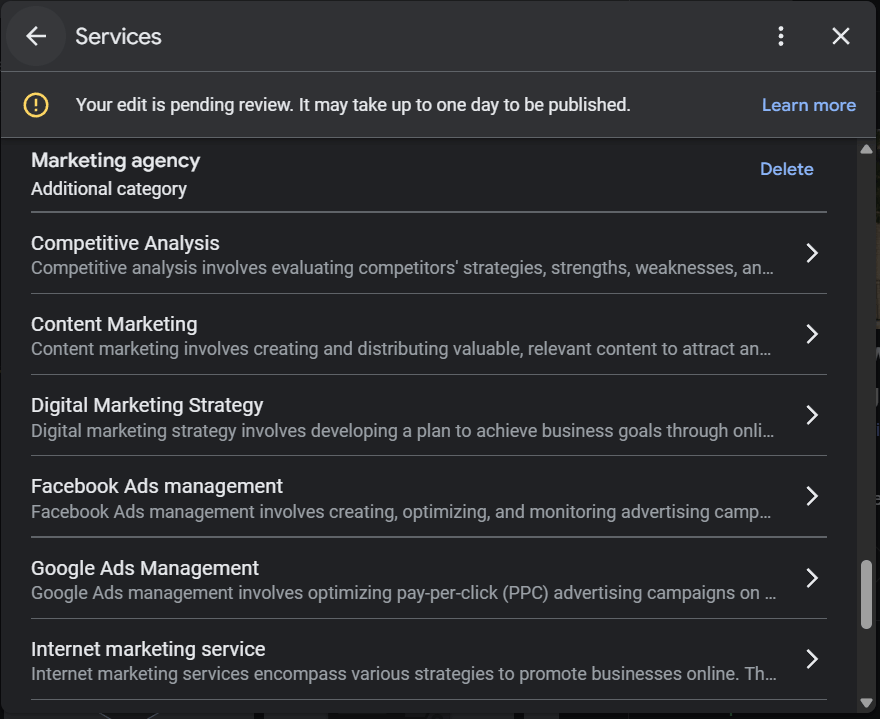
Categories play a major role in visibility. An incorrect primary category makes it harder for Google to understand what your business offers. When the primary category does not match real services, your profile appears for fewer searches.
Overlapping or missing categories also reduce relevance. Using similar categories without clear focus can confuse Google, while missing secondary categories may limit discovery. Accurate, well-aligned categories help your profile match more search intent.
High competition areas can reduce visibility even for well-optimized profiles. When many businesses target the same categories and locations, Google prioritizes those with stronger relevance, engagement, and prominence.
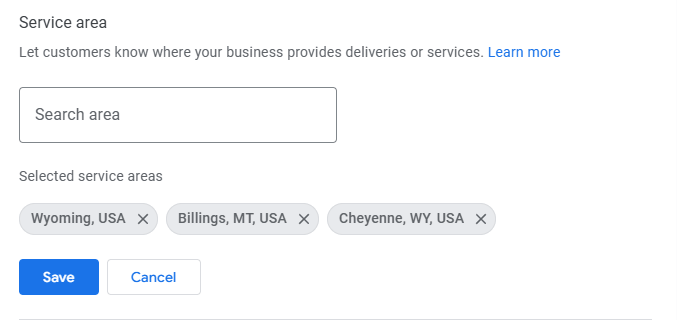
Proximity and service area limits also affect views. Google favors businesses closer to the searcher or with clearly defined service areas. If your location or service area does not align with common searches, profile views may decline.
Addressing these issues helps improve relevance and increase the chances of appearing in more local searches.
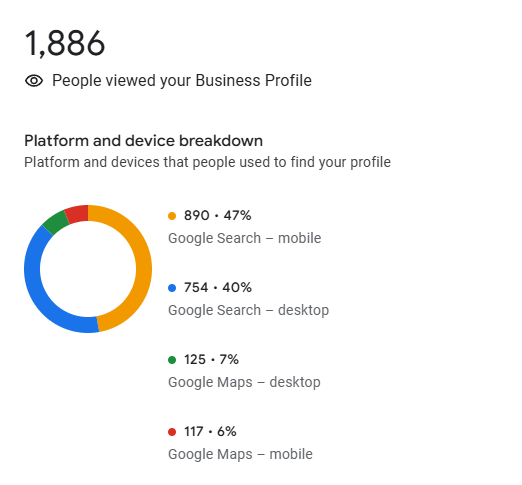
Local GMB low impressions occur when your profile appears less often in discovery searches. This usually happens gradually and often goes unnoticed until views drop significantly.
A drop in discovery searches is a common cause. Discovery searches happen when users look for services or products rather than a specific business name. If your profile stops matching these searches, impressions decrease even if branded searches remain stable.
Reduced keyword matching also affects impressions. When services, categories, or descriptions no longer align with how users search, Google has fewer opportunities to display your profile. Missing services, outdated descriptions, or weak category choices can limit keyword coverage.
The impact of inactive profiles is another major factor. Profiles that lack regular updates, photo uploads, posts, or responses appear less relevant over time. Inactivity signals lower engagement, which reduces how often Google surfaces the profile in local results.
Understanding how local GMB low impressions develop helps businesses identify visibility gaps before they affect leads and customer actions.
Many cases of low visibility are caused by basic optimization issues that weaken how Google understands and ranks a profile. These issues often go unnoticed but have a direct impact on impressions and reach.
Addressing these optimization issues improves clarity, strengthens relevance, and increases the chances of appearing in more local search results.
Maps visibility problems often confuse business owners because performance in Google Search and Google Maps can differ. This happens because Maps uses a slightly different set of ranking signals and user behavior patterns.
Google Maps relies heavily on relevance, distance, and prominence. Relevance measures how well your profile matches the search intent. Distance considers how close your business is to the searcher or defined service area. Prominence reflects how well-known and trusted your business appears online, including reviews and engagement.
Maps visibility differs from Search because user intent is often more immediate. Maps users usually look for nearby options, directions, or quick actions. As a result, profiles with stronger local signals and clearer proximity often appear more frequently in Maps, even if Search visibility looks stable.
Low engagement directly affects Maps views. Profiles with fewer reviews, limited responses, outdated photos, or minimal activity appear less active and trustworthy. Over time, low engagement weakens prominence signals, which reduces how often the profile shows in Maps results.
Understanding these ranking signals helps explain why Maps visibility problems occur and where improvements can make the biggest impact.
Fixing low visibility requires a structured approach. Following these steps helps improve relevance, activity, and overall profile performance over time.
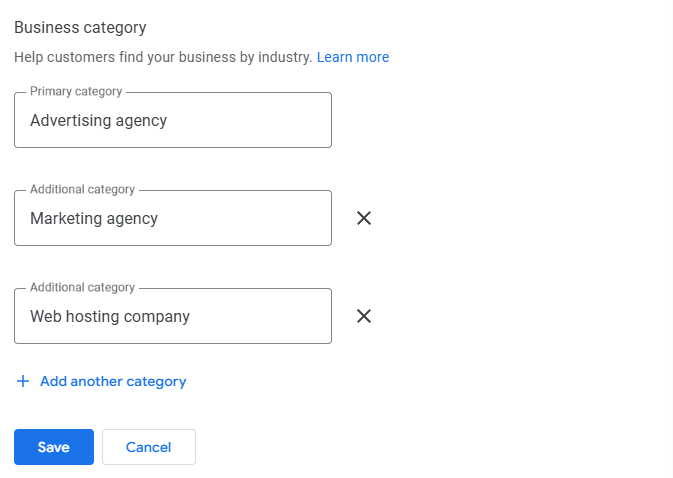
Start by reviewing your primary and secondary categories. Make sure the primary category accurately reflects your main offering. Check that listed services match what customers actually search for and remove any outdated or irrelevant entries.
Clear, accurate categories and services help Google understand your business and match it to the right searches.
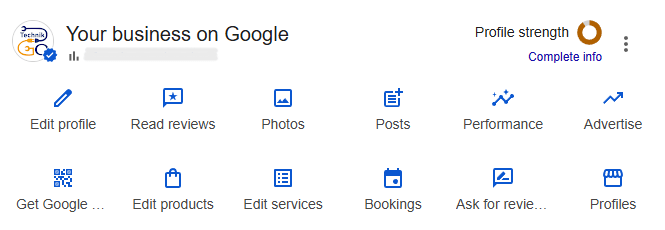
Complete every relevant section of your Google Business Profile. Update business descriptions, hours, service areas, attributes, and contact details. A complete profile appears more reliable and gives Google stronger signals to work with.
Consistency across all sections improves clarity and supports better visibility.
Activity signals show that your profile is active and managed. Upload fresh photos, post updates regularly, and respond to reviews. Even small, consistent actions can increase engagement and strengthen visibility signals over time.
Following this step-by-step process helps fix low visibility issues and supports steady improvements in profile views.
Reviews play an important role in discovery views. When customers leave reviews, they add fresh content to your profile. This activity helps Google recognize that your business is active and relevant, which can increase how often your profile appears in local search results.
Responses and engagement increase impressions by signaling active management. When businesses reply to reviews, post updates, and add photos, Google sees ongoing interaction. These signals support prominence and encourage Google to show the profile more frequently.
Inactive profiles lose visibility over time. Profiles without new reviews, responses, or updates appear less relevant compared to active competitors. Even if business details are accurate, lack of engagement weakens trust signals and reduces how often the profile is shown.
Consistent reviews and engagement help maintain profile health and support steady visibility growth.
Here is the expanded, engagement-focused content for this section, written in clear, simple English, with strong diagnostic and educational intent.
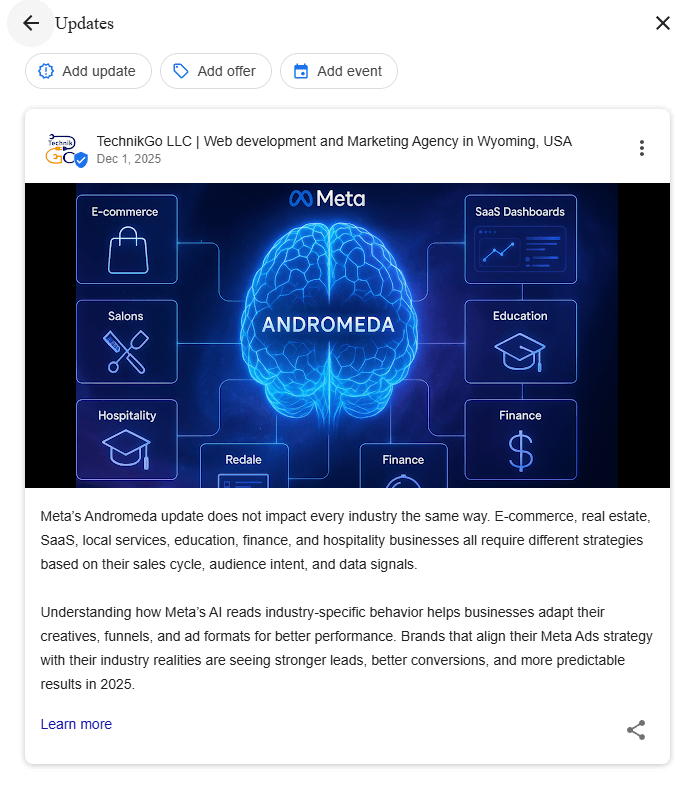
Photos and posts directly influence how visible your Google Business Profile becomes. Visual activity shows Google and users that the profile is active and relevant.
Maintaining fresh photos and regular posts strengthens activity signals and supports steady growth in profile visibility.
In some cases, low views are not caused by normal competition or minor optimization gaps. They can signal a deeper issue within the Google Business Profile that requires closer attention.
Possible suspensions or restrictions can limit how often a profile appears. Soft suspensions, verification problems, or partial restrictions may not always trigger clear warnings, but they can significantly reduce visibility.
Guideline or trust issues also affect impressions. Inconsistent business information, repeated edits, or policy violations can weaken trust signals. When Google questions profile reliability, it may reduce exposure without fully removing the listing.
At this point, the need for professional review becomes important. A detailed audit helps identify hidden issues, compliance problems, or restrictions that are not obvious in the dashboard. Professional analysis can prevent further visibility loss and guide proper recovery steps.
Recognizing when low views point to deeper problems helps businesses act early and avoid long-term impact.
When low views continue despite basic optimization, it often becomes difficult to identify the exact cause. Diagnosing low visibility issues requires a deeper understanding of how Google evaluates profiles, impressions, and Maps performance. Without proper analysis, businesses may fix the wrong elements and see no improvement.
In many cases, low views are linked to Maps and impression drops that are not immediately visible in the dashboard. These drops may result from trust issues, guideline conflicts, location relevance problems, or partial restrictions. Handling these situations correctly requires careful review and structured troubleshooting.
This is where a professional google business profile support service becomes valuable. A support service can perform detailed profile audits, identify hidden issues, and guide proper resolution steps. This structured approach helps restore visibility, address compliance concerns, and prevent repeated drops in impressions.
Using a support service makes sense when low views signal deeper profile problems that require expert review and precise corrective action.
Use this checklist to confirm that your profile is set up correctly and supported by ongoing activity. Regular checks help prevent visibility drops and maintain steady performance.
Following this checklist helps maintain clarity, relevance, and long-term visibility for your Google Business Profile.
Improving Google Business Profile views is not a one-time action or a quick switch. Visibility works as a system where relevance, activity, engagement, and trust all connect. When one part weakens, overall visibility can decline.
Consistent optimization is the key to steady improvement. Regular updates, accurate information, active engagement, and ongoing monitoring help maintain strong visibility signals. Small, consistent efforts often deliver better results than occasional large changes.
Profile health should be treated as a long-term asset. A well-maintained Google Business Profile supports discovery, builds trust, and contributes to sustained growth over time. When visibility is managed as an ongoing process, profiles perform more reliably and remain competitive in local search.