
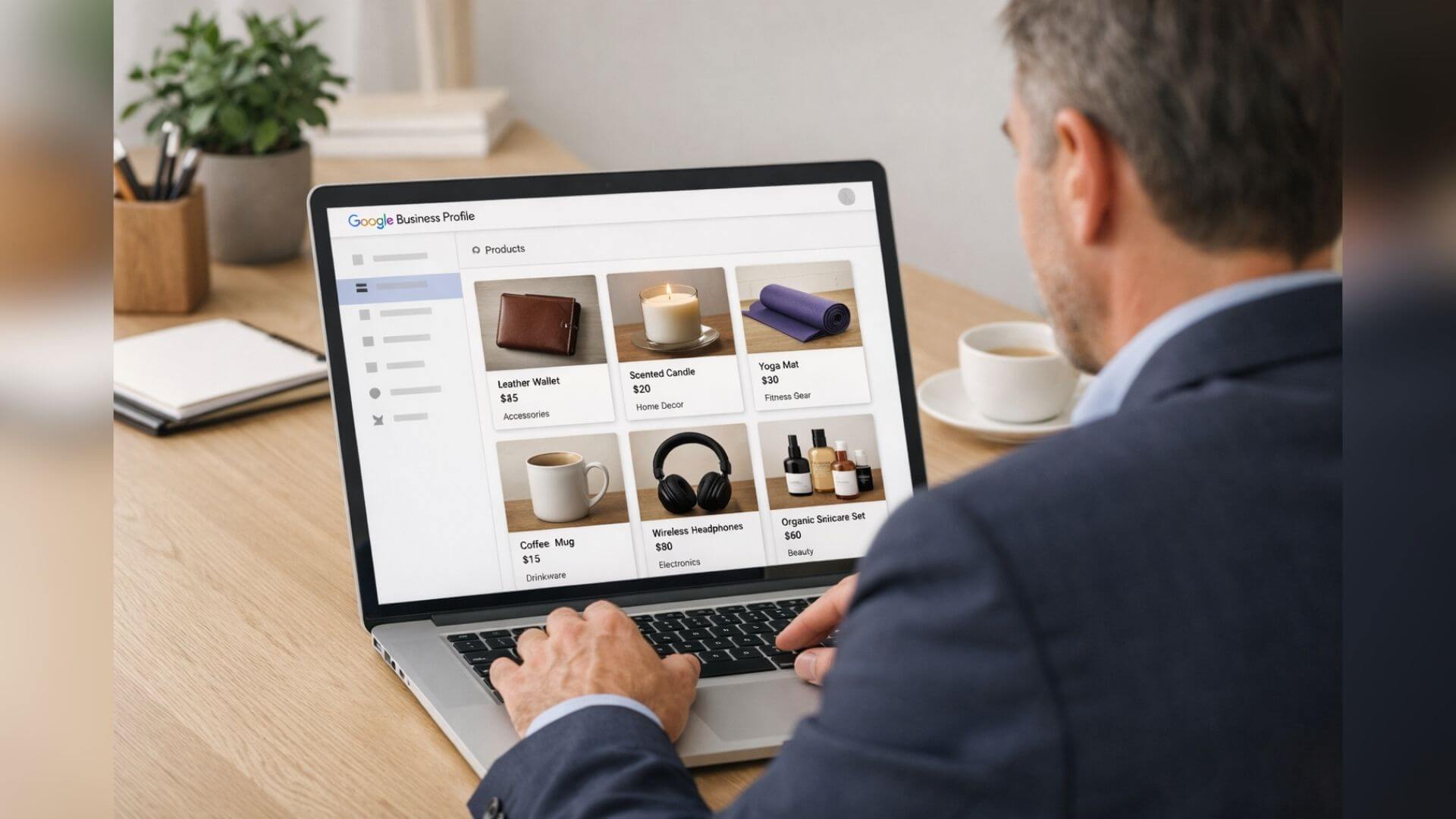
Adding products is one of the most underused features in a Google Business Profile. When you add products Google Business the right way, you give Google more information about what you sell and help customers understand your offerings faster. This directly improves visibility in local search results.
Products increase discovery because they appear in profile views, branded searches, and sometimes in product-related local results. Clear product listings attract attention and encourage users to explore your profile further. This added engagement helps Google recognize that users find your business relevant.
There is also an important difference between services and products in Google Business Profile. Services explain what you do, while products highlight what you sell. Products focus on individual items, prices, and visuals, making them more conversion-focused. Using both together gives Google a complete picture of your business.
Products help local rankings and conversions when they match real customer intent. If users search for specific items you sell, optimized product listings can increase profile interactions and lead to calls, messages, or store visits. While products alone do not guarantee higher rankings, they strengthen engagement signals that support long-term visibility.
By using products strategically, businesses can improve discovery, build trust, and turn profile views into real customer actions. When product listings are planned as part of a broader google business profile optimization service, they work alongside services, categories, and engagement signals to support long-term visibility.
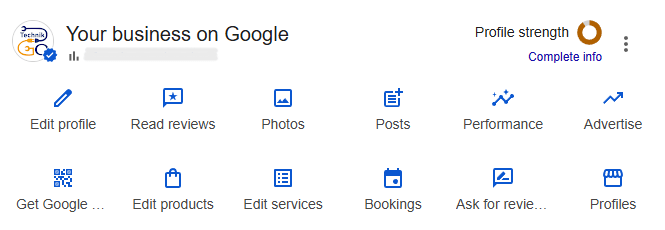
Many businesses confuse products and services in their Google Business Profile. Understanding how GMB products work – and how they differ from services – helps you use each feature correctly and avoid missed visibility opportunities.
In Google Business Profile, a product refers to any item a customer can view, compare, or purchase. This includes both physical and digital offerings.
Physical products are tangible items such as retail goods, equipment, packaged items, or menu products. These products benefit from images, prices, and short descriptions that help customers make quick decisions.
Digital products can include software, subscriptions, downloadable items, or virtual offerings. As long as the product is clearly defined and available to customers, it can be listed.
Service-based businesses can still use products in many cases. For example, a service provider may list packaged offerings, fixed-price plans, or bundled solutions as products. This helps present services in a more visual and conversion-focused way, even when the core business is service-driven.
Products and services serve different purposes inside a Google Business Profile. Services explain what your business does, while products highlight specific items or offerings customers can explore.
Key differences include:
Using both together works best when each is applied correctly. Services help Google understand your business type, while products help users see what they can buy or choose. When products and services align with real offerings, they create a stronger and more complete profile that supports visibility and customer action.
Understanding this difference helps businesses decide when to list products, when to focus on services, and when to use both for better results.
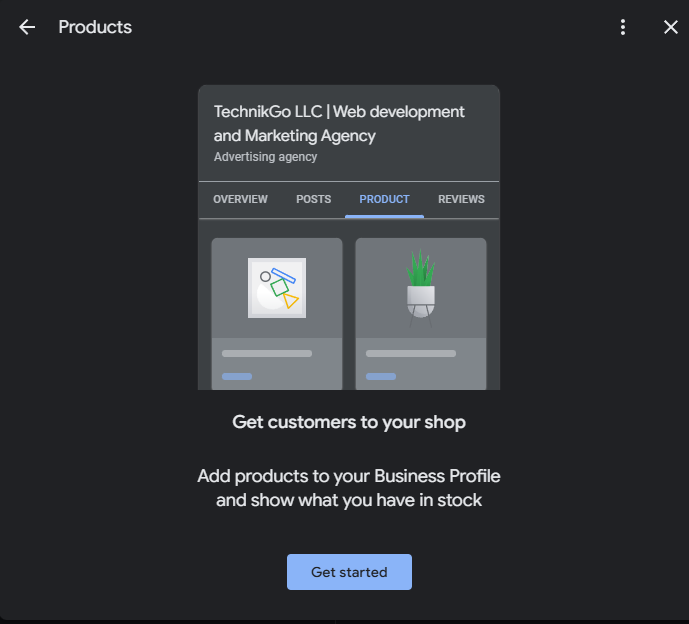
Adding products correctly helps Google understand what you sell and helps customers take action faster. Follow this step-by-step process to add products Google Business the right way and avoid common setup mistakes.
Start by signing in to your Google Business Profile. From the dashboard, select your business and navigate to the Products section. This area allows you to manage individual product listings that appear directly on your profile.
Make sure you are logged into the correct business location if you manage multiple profiles.
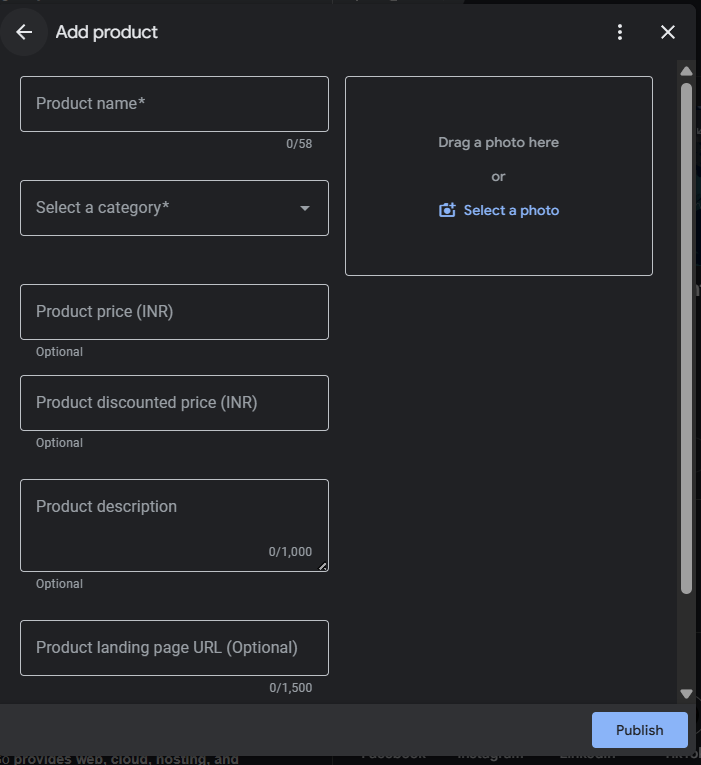
Click Add Product and begin filling in the required details.
Keep descriptions simple and accurate. Avoid promotional language or keyword stuffing. Focus on clarity and customer intent.
Images play a major role in product engagement. Upload clear, high-quality images that accurately represent the product.
Best practices include:
Proper images improve trust, increase engagement, and help products stand out in profile views.
Following these steps ensures that product listings remain accurate, visible, and useful for both Google and potential customers. A structured setup helps products support engagement and long-term profile performance.
Well-optimized product listings do more than display items – they encourage users to interact with your Google Business Profile. Following proven product listing tips helps improve clarity, build trust, and increase engagement from profile visitors.
Product names should be easy to understand and match how customers search. Use simple, specific names that describe the product without adding unnecessary words. Clear names help users quickly recognize what you offer and reduce confusion.
Product descriptions should explain what the product does and why it is useful. Keep descriptions short and focused on key benefits instead of technical details. This helps users decide faster and improves overall engagement.
Adding a price or price range builds transparency and trust. If prices vary, use a range that reflects typical costs. Accurate pricing information helps manage expectations and reduces friction before a customer contacts you.
By applying these product listing tips, businesses can make their product section more helpful, attractive, and conversion-friendly without overcomplicating the setup.
Images and categories play a major role in how GMB products perform inside a Google Business Profile. Even well-written product listings can lose visibility if images are poor or categories are incorrect. Following best practices helps products appear more credible and engaging.
Product images should clearly show what you sell and help users understand the product at a glance. Google prefers images that are clean, accurate, and easy to view on both mobile and desktop.
Best practices to follow:
Avoid promotional overlays such as discount text, phone numbers, logos, or banners. Images with heavy text or promotional elements may reduce trust and limit visibility. Simple, realistic images perform better and feel more authentic to users.
Selecting the correct product category helps Google understand what you sell and when to show your products. Categories should always reflect real offerings, not broad or unrelated terms.
Key guidelines:
Misclassification can confuse Google and reduce relevance. If a product category does not accurately represent the item, it may appear for the wrong searches or not appear at all. Correct categories improve discovery and support better engagement.
Using clear images and accurate categories together creates stronger product listings that support visibility and customer trust.
Many businesses add products to their Google Business Profile but do not see results because of avoidable mistakes. Understanding these issues helps ensure product listings support visibility instead of hurting performance.
One common mistake is treating products like ads. Google Business Profile products are meant to inform users, not promote sales aggressively. Using sales language, discounts, or call-to-action phrases makes listings look promotional and less trustworthy. Clear, factual product information performs better than ad-style content.
Another issue is adding unrelated or duplicate products. Products that do not match your actual offerings confuse users and weaken relevance signals. Duplicate listings also add clutter and make it harder for Google to understand your product range. Each product should represent a unique and real item you sell.
Many businesses also leave products outdated. Prices, availability, or product details may change over time, but listings remain unchanged. Outdated products reduce trust and can lead to poor user experience. Regular reviews ensure that product information stays accurate and useful.
Ignoring image quality is another major mistake. Low-quality, blurry, or poorly lit images reduce engagement and credibility. Images are often the first thing users notice, so poor visuals can discourage interaction even if the product itself is strong.
Avoiding these mistakes helps keep product listings clean, accurate, and effective. Well-maintained products improve engagement and support long-term profile performance.
Products and services should not be treated as separate elements in a Google Business Profile. They work best when used together as part of a unified approach to optimizing services and offerings. Each section supports the other and helps Google understand your business more clearly.
Services explain what your business does, while products show what customers can actually choose, buy, or explore. When both are aligned, Google gains a stronger relevance signal. For example, services define your expertise, and products provide concrete examples of those offerings. This combination improves clarity for users and search engines.
Using products alongside services also improves consistency across your profile. When product listings match service descriptions, categories, and business information, your profile sends clear and reliable signals. This reduces confusion and increases your chances of appearing for the right discovery searches.
Products should be viewed as part of a broader profile strategy, not a standalone feature. When products, services, categories, images, and descriptions all support the same business intent, your Google Business Profile becomes more complete, trustworthy, and competitive in local search results.
By aligning products with services, businesses can strengthen relevance, improve engagement, and support long-term visibility.
Managing products in a Google Business Profile becomes challenging as your business grows. When you add multiple products, update prices often, or manage more than one location, manual updates can lead to mistakes and inconsistencies. This is especially true when products need regular reviews to stay accurate and compliant with Google guidelines.
Keeping product listings updated is not a one-time task. Products must reflect current availability, correct pricing, accurate descriptions, and high-quality images. Outdated or incorrect listings reduce trust and can weaken engagement signals. Regular audits are required to remove duplicates, fix errors, and ensure products still align with services and categories.
This is where professional support becomes valuable. Businesses that want consistent results often rely on a structured google business profile management service to handle product audits, ongoing optimization, compliance checks, and updates in one system. This approach helps maintain accuracy and prevents visibility loss caused by neglected listings.
Using a management service makes sense when you want products to support your overall profile performance without constant manual effort. A consistent, audited setup ensures that product listings remain reliable, relevant, and aligned with long-term local visibility goals.
Before publishing or updating product listings, use this checklist to make sure everything is set up correctly. A quick review helps prevent common mistakes and keeps your Google Business Profile accurate and effective.
Following this checklist helps ensure that product listings remain reliable, engaging, and aligned with long-term local visibility goals.
Adding products to your Google Business Profile works best when done with a clear structure and purpose. A well-organized product setup helps Google understand what you sell and helps customers make faster decisions. Random or incomplete product listings rarely deliver lasting results.
Regular review and updates are just as important as the initial setup. Products should reflect current offerings, accurate prices, and up-to-date images. As your business evolves, keeping product listings fresh prevents outdated information from weakening trust and engagement.
When managed correctly, products become a long-term visibility asset. They support discovery searches, increase profile interaction, and complement services and categories. Treating products as part of an ongoing optimization process – not a one-time task – helps maintain relevance and strengthens your Google Business Profile over time.
By following a structured approach and updating products consistently, businesses can use product listings to support steady local visibility and sustained growth.