

Google business visibility filters are automatic systems Google uses to limit how often a business profile appears in search results, especially on Google Maps and local discovery searches. These filters work quietly in the background and affect where and when your listing shows, not whether it exists.
The most important thing to understand is this:
visibility filters are not suspensions and not penalties.
Your Google Business Profile stays active, verified, and accessible inside your dashboard. You can still log in, edit details, and see the profile live. However, Google temporarily reduces or blocks its appearance for non-branded searches like services, categories, or location-based keywords.
In simple terms:
These filters usually activate when Google is unsure about trust, relevance, or consistency. Instead of removing the profile, Google limits its exposure until confidence improves.
It’s also important to set the right expectation. When a visibility filter is active:
Because Google does not send alerts for filters, many businesses assume rankings dropped due to competition or SEO changes – when in reality, a visibility filter is silently controlling exposure.
Understanding this difference early helps you avoid risky fixes that can turn a temporary visibility issue into a real suspension.
Google uses visibility filters to protect search quality and user trust. With millions of business profiles competing for space on Google Maps, Google must constantly decide which listings are safe, reliable, and relevant enough to show for local searches.
The primary goal is simple: reduce spam and limit low-trust listings without removing legitimate businesses by mistake.
Instead of suspending profiles instantly, Google applies visibility filters as a safety layer. These filters allow Google to control exposure while it evaluates signals like business consistency, authenticity, and behavior patterns.
Many spam listings follow similar patterns – keyword-stuffed names, fake locations, or aggressive edits. However, some real businesses accidentally trigger the same signals.
Visibility filters give Google a middle ground:
This approach lowers risk for Google and avoids unnecessary suspensions.
A normal ranking drop happens when:
In these cases, your listing still appears – just lower.
Filtered listings in GMB behave differently:
This is why filtered listings often confuse business owners. The profile looks healthy inside the dashboard, yet traffic collapses.
Google avoids sending alerts for visibility filters because:
If Google notified every filtered listing, it would cause unnecessary panic and support overload. Instead, Google expects businesses to maintain clean, consistent profiles that naturally regain trust.
This silent approach makes filters harder to detect – but also means they are recoverable when handled correctly, without filing appeals or making risky changes.
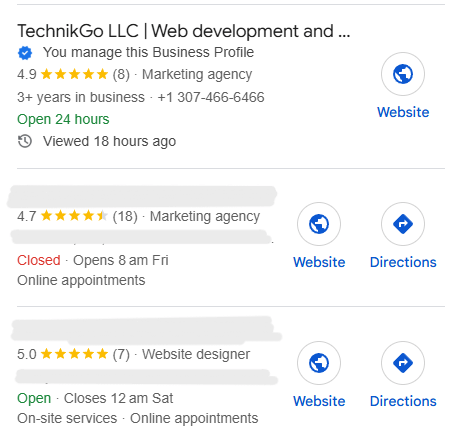
Filtered listings GMB situations happen when Google limits a business profile’s visibility without suspending or disabling it. The listing stays live, verified, and editable – but Google quietly reduces where it can appear in Maps and local search results.
Most businesses do not realize this is happening because there are no errors, no warnings, and no policy messages. The limitation happens automatically when Google detects signals that reduce trust or stability.
Google visibility filters often activate after actions that look risky or unnatural to Google’s systems – even when done unintentionally.
Switching primary or secondary categories too often confuses relevance signals. Google expects category stability that reflects real services, not ranking experiments.
Adding services, locations, or marketing phrases to the business name is one of the fastest ways to trigger filtered listings GMB behavior. Even small edits can activate filters if they break naming guidelines.
Constant updates to hours, services, descriptions, or attributes signal instability. Google may reduce visibility until the profile settles and shows consistency.
Mismatches between the profile, website, citations, or service areas reduce location trust. This often leads to silent visibility limits instead of instant suspension.
Filtered listings follow very specific patterns that separate them from normal ranking drops.
When users search the business name directly, the listing still shows. This gives the false impression that everything is fine.
For searches like services + city or category-based terms, the profile does not appear at all – even when it previously ranked well.
Insights show a sharp drop in views, calls, and directions, but no warnings or notifications appear in the dashboard.
This combination is the strongest indicator of a filtered listing. The business is not penalized – it is temporarily limited until Google regains confidence in the profile’s trust and consistency.
Soft suspension signs often appear when Google applies visibility filters instead of issuing a full suspension. These situations confuse business owners because the profile looks normal on the surface, yet performance drops almost overnight.
Below are the most reliable signals that indicate visibility filters are active – even though no official suspension exists.
These soft suspension signs are Google’s way of limiting risk without fully disabling the listing. When identified early, they can be corrected safely – before they escalate into real suspensions or long-term visibility loss.
Ranking visibility issues often look like normal SEO problems at first, but hidden Google filters change how visibility works at a deeper level. When filters activate, rankings do not simply move down – they stop being evaluated normally.
This is why many businesses struggle to recover even after making strong SEO improvements.
When Google applies visibility filters, it limits whether your business profile can compete at all. Instead of ranking lower, the listing is removed from consideration for many discovery searches.
This leads to:
As a result, tracking tools and manual searches show sudden gaps rather than declines.
Algorithm updates affect all businesses based on relevance, proximity, and prominence. Rankings shift, but profiles continue to appear and compete.
Visibility filters behave differently:
Because filters restrict exposure first, rankings cannot respond normally to optimization changes.
When a profile is filtered, Google limits trust before relevance. Even if you:
The profile remains suppressed until trust signals recover.
This is why many businesses keep optimizing without results. The issue is not SEO quality – it is visibility control.
For a deeper breakdown of how these situations develop, see our related guide on ranking visibility issues.
Understanding this connection prevents wasted effort and helps you focus on resolving the real blocker instead of chasing rankings that are temporarily locked.
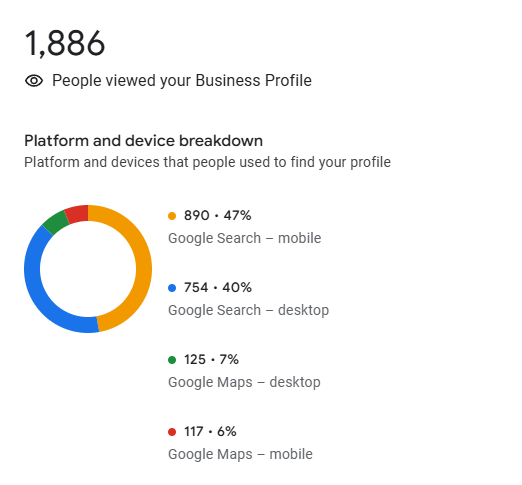
Low views on Google Business often appear before any visible ranking loss when visibility filters start working. This early drop confuses business owners because nothing looks wrong in the dashboard, and no policy warnings appear.
Google quietly reduces exposure first, then limits rankings later.
When filters activate, Google limits how often your profile is shown in discovery searches. The listing still exists, but Google stops testing it across different queries and locations.
This causes:
At this stage, rankings may still look stable for branded searches, which hides the real problem.
Seasonal or market-based declines follow predictable patterns:
Filtered suppression behaves differently:
If only your profile experiences a steep decline, filters are the likely cause.
To confirm low views caused by visibility filters:
If your business appears only when searching its name, visibility is being restricted.
This confirmation step is critical before making changes – fixing the wrong issue can increase risk instead of restoring visibility.
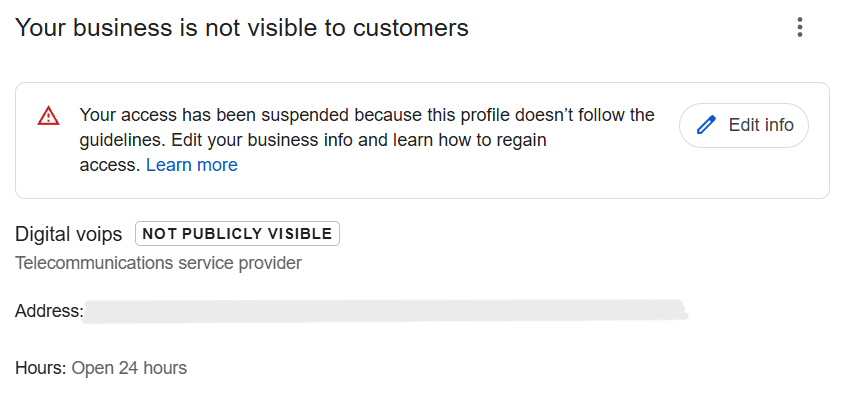
Visibility filters are not harmless. When ignored, they often increase suspension risks instead of resolving on their own. Google uses filters as an early control system, and repeated issues can push a profile from limited visibility into a full suspension.
Understanding this progression helps businesses act before real damage happens.
Google rarely suspends a profile without warning signals. Visibility filters usually appear first when Google detects behavior or data that looks risky but not severe enough for removal.
If the same problems continue:
In many cases, suspended profiles show clear signs of filtering weeks earlier.
Every risky action adds to Google’s internal trust assessment. Examples include:
These repeated actions raise trust flags. Instead of restoring visibility, Google tightens restrictions and increases review scrutiny.
When early filter signs are ignored, businesses often try aggressive fixes – appeals, reinstatement forms, or constant edits. This usually backfires.
Ignoring visibility filters can result in:
Addressing filters calmly and correctly protects the account and prevents a temporary visibility issue from becoming a permanent suspension problem.
Detecting Google Business visibility filters requires controlled checks, not guesswork. Because Google does not show warnings, the only way to confirm filters is by comparing visibility patterns and recent activity.
Follow these steps in order to identify the issue safely.
Search your business name first. If the profile appears normally, move to discovery searches like services or categories.
This contrast is the strongest early indicator of visibility filtering.
Search results change based on location. To test accurately:
If the profile fails to appear consistently outside your immediate area, visibility is being limited.
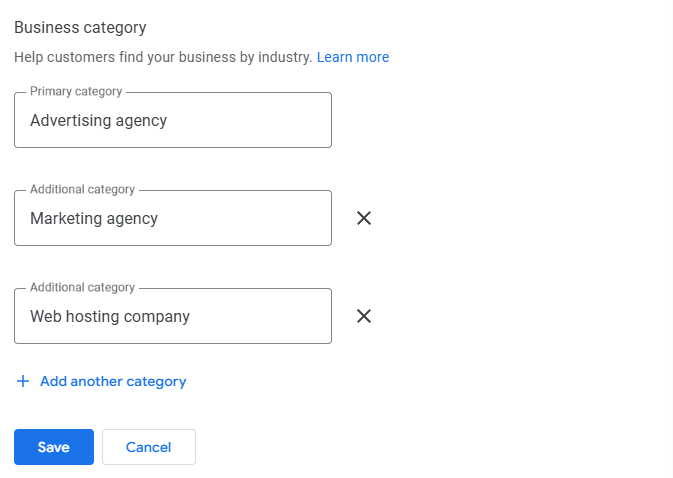
Check all changes made in the last 30–60 days:
Visibility filters often activate shortly after frequent or risky edits.
Open insights and review:
A sudden drop without gradual decline confirms that visibility has been restricted, not outperformed.
This final step helps separate filtering issues from normal market movement.
Fixing Google Business visibility filters requires patience and precision. Rushed changes often make the situation worse. The goal is to restore trust, not force visibility.
Follow these safe actions to improve recovery without increasing risk.
Handled correctly, visibility filters often lift naturally. The focus should remain on consistency, accuracy, and controlled adjustments – not aggressive fixes.
Filtered listings require strategic handling, not trial-and-error fixes. Because Google visibility filters do not come with warnings or clear instructions, many businesses accidentally make changes that increase risk instead of restoring visibility.
This is where professional Google Business support becomes critical.
Experts understand how Google Business Profile evaluates trust, stability, and behavior over time. Filters are not removed by quick edits or aggressive optimization – they lift when Google regains confidence in the listing.
Professional handling focuses on:
DIY fixes often do the opposite. Repeated edits, appeals without suspensions, or name changes meant to “force rankings” can escalate the issue. Many full suspensions begin after well-meaning but incorrect self-fixes.
Expert intervention acts as risk control. The goal is not just to regain visibility, but to protect the account from long-term damage. When filters are handled carefully and strategically, recovery is safer, faster, and far more sustainable.
Google Business visibility filters often become the hidden ceiling that stops growth, even when SEO work is done correctly. Many businesses keep optimizing without results because the problem is not ranking effort – it is restricted exposure.
When visibility filters are active, Google limits how much your profile can compete. This causes rankings to stall instead of improving.
You may notice:
The listing is not failing SEO checks – it is being held back by trust limits.
Some signals show that profile optimization is no longer enough:
These signs indicate that trust recovery must happen before optimization can work again.
Promotion focuses on growth. Trust recovery focuses on stability.
When visibility filters are present:
Only after trust improves should promotion resume.
Treating visibility filters as a growth blocker – not a ranking problem – helps restore long-term performance without risking suspension or permanent suppression.
Preventing Google Business visibility filters depends on consistency, accuracy, and restraint. This final checklist helps keep trust signals clean and reduces the chances of silent visibility limits.
Following this checklist helps maintain long-term visibility and keeps your business profile eligible to appear consistently without triggering hidden filters.
Google Business visibility filters work quietly, but they are not permanent and not impossible to fix. Most problems happen because businesses mistake filtered visibility for normal ranking changes and respond with risky actions.
The key is proactive monitoring. Watching impressions, discovery visibility, and edit patterns helps you catch early signals before filters escalate into suspensions or long-term suppression.
Visibility protection should be treated as a long-term strategy, not a one-time fix. Stable profiles, clean data, and controlled changes build trust over time. When trust stays strong, rankings follow naturally – and your business remains visible where it matters most.