

Many businesses upload a few photos to their Google Business Profile and never think about them again. At first, this feels like enough. The profile looks complete, and there are no alerts or warnings. Over time, though, photos quietly begin to matter more than most owners realize.
Photos often shape trust before customers read reviews or visit a website. People look at images to decide if a business feels real, active, and worth contacting. Google also uses photos as engagement and relevance signals. Profiles with recent, accurate photos tend to receive more actions than those with outdated or unclear visuals.
Poor lighting, old interiors, or mismatched images can reduce confidence without anyone noticing why enquiries slow down. Photos are not about perfection or professional editing. They are about showing reality clearly.
This guide explains how google business photos influence trust and visibility, what to upload, and why it matters over time.
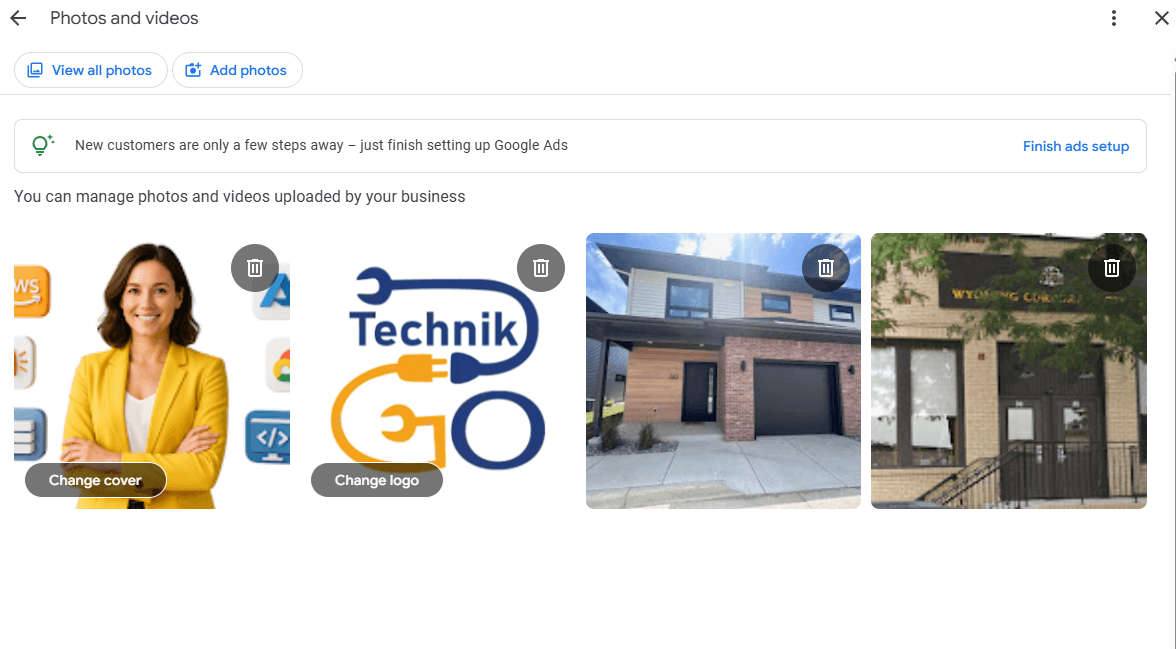
Photos are often the first impression a customer has of your business. Before they read reviews, check hours, or visit your website, they see images that shape how real and trustworthy your business feels. In many cases, those photos decide whether someone clicks, calls, or keeps scrolling.
Photos directly influence actions like calls, direction requests, and visits. Clear images of your location, team, or work help people feel confident about what to expect. When customers can visually understand your business, they are more likely to take the next step.
Visuals also reduce uncertainty. A well-lit storefront, a clean interior, or real service photos remove doubt and answer questions silently. Google pays attention to this behavior. Profiles with regular photo activity often show stronger engagement signals over time.
Photos work best when combined with strong profile optimization basics rather than treated as a standalone task.
Google displays photos in several places across Search and Maps. They appear in the business profile preview, photo carousels, and Maps listings, often before a user clicks into full details. This means photos help shape expectations early in the search journey.
There is an important difference between user-uploaded and business-uploaded photos. Customer photos add authenticity and social proof, while business-uploaded photos give clarity and control over how the business is presented. Google uses both to understand real-world activity.
Google favors real, recent images because they reflect the current state of a business. Fresh photos signal that a location is active and accurately represented. Outdated or irrelevant images weaken confidence.
Photos contribute to trust signals by reinforcing consistency. When images align with reviews, descriptions, and services, Google gains confidence in showing the business more often.
Uploading the right types of photos helps customers understand your business quickly and accurately. Each photo category serves a specific purpose and supports trust in a different way.
Exterior photos help customers recognize your location before they arrive. Clear images of the storefront, entrance, or building reduce confusion, especially in busy areas or shared complexes.
Interior photos set expectations. They show what the space looks like, how welcoming it feels, and whether it matches what customers are looking for. Consistency matters here. Photos should reflect the current layout and condition of the space so customers are not surprised when they visit.
Photos of your team and daily work build human trust. They show that real people run the business and that work is actively happening.
Work-in-progress images are especially helpful for service businesses. They demonstrate experience and reliability. Authentic photos taken during normal operations often perform better than highly polished images because they feel genuine and relatable.
Product and service photos help set clear expectations. Customers want to see what they are paying for before they make contact.
Avoid misleading visuals or stock images that do not represent your actual offerings. Photos should match the services you list and the experience customers will receive. Accurate visuals reduce misunderstandings and improve confidence in choosing your business.
Photo mistakes rarely cause sudden drops, but they quietly reduce trust and engagement over time. Most businesses make these errors without realizing the impact.
Relying only on stock images is one of the most common problems. Stock photos may look polished, but they do not represent the real business. Customers can usually tell the difference, and Google prefers visuals that reflect actual locations and services.
Uploading outdated or low-quality photos is another issue. Old interiors, past branding, or blurry images create uncertainty and lower confidence. If the business has changed, photos should change too.
Ignoring customer-uploaded images can also hurt perception. Customers may upload photos that do not show the business well. Leaving them unchecked can shape a negative first impression.
Using irrelevant or overly promotional visuals weakens trust. Photos should inform, not advertise. Accurate, realistic images perform better than graphics, flyers, or sales-focused visuals.
Photos influence Google Maps visibility by shaping engagement, not by acting as a direct ranking switch. Google looks at how users interact with a profile, and photos play a quiet but important role in that process.
Photos act as engagement signals. When users scroll through images, click on them, or spend more time viewing a profile, Google sees this as a sign that the listing is useful. Profiles with active photo sections often receive more actions than those with few or outdated images.
Proximity alone is not enough to stay visible on Maps. Even nearby businesses can be skipped if users consistently engage more with profiles that feel clearer and more trustworthy. Photo activity helps support relevance by showing that a business is active and accurately represented.
There is also a strong relationship between photos and user actions. Clear visuals encourage calls, direction requests, and visits. Over time, this consistent engagement supports broader Maps ranking factors by reinforcing trust and activity.
Keeping photos updated does not require constant effort, but it does require consistency. A simple schedule helps maintain trust without creating unnecessary work.
Adding a few recent photos each month is enough for most businesses. These can include new work, updated interiors, team activity, or everyday operations. Regular updates signal that the business is active and current.
Seasonal visuals also matter. Photos should reflect the time of year, operating hours, and customer experience accurately. This helps avoid confusion and keeps expectations clear.
Monthly updates keep the profile fresh without overdoing it. You do not need professional shoots every time. Clear, honest photos taken with a phone work well.
Some changes should be reflected right away. If the business moves, renovates, or updates its branding, photos should be replaced as soon as possible.
New services or offerings should also be supported with photos. When visuals match what customers are searching for, trust builds faster and engagement improves.
Photos are important, but they are not a shortcut. Understanding their limits helps set the right expectations and avoid risky behavior.
Photos do not guarantee rankings. A profile with many images can still struggle if categories, accuracy, or reviews are weak. Photos support visibility, but they do not replace other core signals.
Photos also do not replace reviews or accurate information. Clear visuals help build trust, but they work alongside reviews, hours, and service details, not instead of them.
Quantity alone does not help. Uploading dozens of similar photos at once rarely improves engagement. Google values relevance and freshness more than volume.
Manipulation backfires. Using misleading images, fake locations, or overly edited visuals reduces trust. Google prefers honest representation, and profiles that try to game the system often lose visibility over time.
Updating photos can improve trust and engagement, but photos do not work in isolation. Some businesses add better images, keep them fresh, and still see limited improvement. When this happens, the issue is usually broader than visuals alone.
Photos need to align with accurate business information, clear categories, relevant services, and steady engagement. If other parts of the profile are weak or inconsistent, even strong visuals may not lead to better visibility. In these cases, continuing to upload photos without addressing deeper issues can feel frustrating.
For businesses that want help aligning photos with overall profile performance, getting support through expert profile optimization can help uncover gaps and improve visibility safely.
A complete approach ensures that photos support, rather than try to compensate for, other missing signals.
A strong photo strategy is built on accuracy, not aesthetics. Clear, honest images that reflect the real business perform better than heavily edited or staged visuals. Customers want to recognize what they will actually experience, and Google looks for that same consistency.
Use real photos consistently. Regular uploads of everyday activity, your space, your team, and your work help keep the profile current without forcing change. Consistency matters more than perfection.
Avoid reactive uploads. Adding photos in response to short-term dips or competitor activity often leads to clutter and mixed signals. Photos should be added with purpose, not urgency.
Steady updates build trust over time. When photos align with hours, services, reviews, and location, Google gains confidence in the profile. This approach works best when photos support broader best practices for profile health rather than acting as a standalone fix.
Photos build trust before customers take action. They help people decide whether a business feels real, active, and worth contacting, often before they read reviews or visit a website.
Real, recent photos consistently outperform polished stock images. Authentic visuals show what customers will actually experience and reduce uncertainty.
Consistent updates matter more than volume. A small number of accurate photos added regularly sends stronger signals than large uploads done once and forgotten.
Photos support long-term visibility without risk when they reflect reality and stay current. Take time to review your current Google Business photos and update them using the principles in this guide so your profile continues to build trust and engagement over time.