

It can be frustrating when your business exists on Google but does not appear on Google Maps where customers expect to find it. Many business owners assume this means something is wrong or that their listing has been penalized. In most cases, that is not true.
A Google Business Profile can be verified and still remain invisible on Maps. Visibility issues usually develop quietly over time due to small problems that go unnoticed. Inaccurate details, weak relevance signals, or lack of activity can slowly reduce how often Google shows a listing.
Google prioritizes accuracy, trust, and relevance when deciding which businesses appear on Maps. The good news is that a google maps not showing business situation is often recoverable. Most issues can be fixed safely without shortcuts or risky tactics. This guide explains the common reasons businesses disappear from Maps and shows how to bring your listing back the right way.
When business owners say their business is not showing on Google Maps, it does not always mean the listing is completely gone. In many cases, the business appears occasionally but not consistently, or it shows up only for certain searches and locations. This difference often causes confusion.
A business may appear when someone searches very close to the location but disappear when the search happens a little farther away. It may also show for branded searches but not for service-based searches. This behavior is normal and usually points to relevance or visibility limits, not removal.
Google Maps results work differently from website rankings. Maps relies more on location, profile relevance, and trust signals than on website content alone. Location and search intent play a major role. Understanding this helps set realistic expectations and focus on the right fixes.
Most Google Maps visibility problems come from a few core issues that quietly reduce trust and relevance. Identifying these problems early makes recovery much easier.
Google cross-checks business data across multiple sources, including your website, map data, local directories, and user reports. When details match, Google is more confident in showing the listing.
Mismatches in your business name, address, phone number, or hours are common causes of invisibility. Even small errors, such as outdated hours or a different phone number, reduce trust. These inconsistencies confuse users and signal uncertainty, which limits Maps visibility.
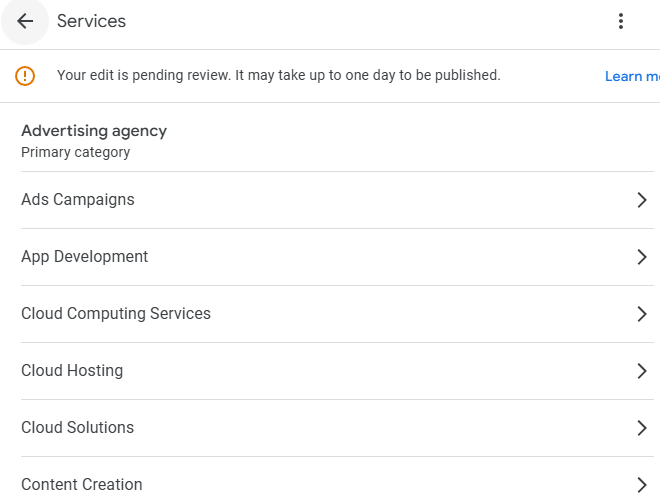
Categories control when and where your business appears on Google Maps. If the primary category does not reflect what users are searching for, the listing may not show at all.
Common mistakes include choosing categories based on competitors, selecting overly broad options, or adding too many categories. Copying competitors often fails because each business has different relevance signals. Category changes help restore visibility when the original choice was incorrect or services have changed.
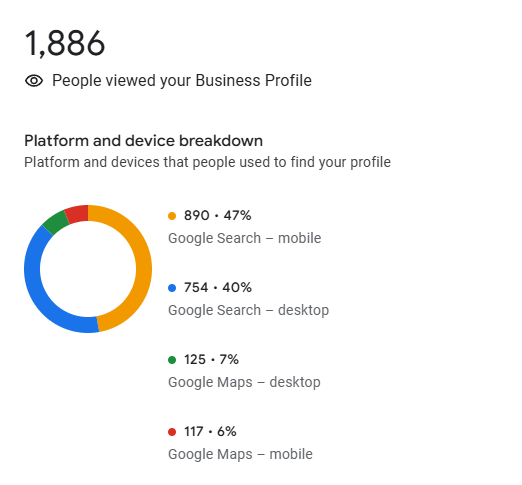
Low engagement can make a profile appear inactive. A lack of reviews, inconsistent review activity, missing photos, or outdated images all reduce discoverability.
Profiles with no visible activity struggle to gain exposure. Engagement signals show Google that a business is active and trusted by customers. Regular reviews, fresh photos, and basic activity help bring listings back into view over time.
Some Google Maps issues are not obvious at first glance. Even profiles that look complete and verified can struggle to appear if deeper problems exist.

Verification only confirms that a business exists at a specific location. It does not guarantee that the profile is eligible to appear for relevant searches. Many verified profiles remain hidden because they lack relevance, clarity, or engagement.
There is a difference between existence and eligibility. Google decides whether a listing is useful enough to show based on how well it helps users. Profiles that clearly explain services, stay accurate, and show real activity are more likely to appear. Usefulness directly impacts visibility.
Some businesses accidentally remove themselves from Maps by trying too hard to optimize. Keyword stuffing the business name is a common example. While it may seem helpful, it often leads to reduced visibility or suspensions.
Over-editing sensitive fields such as categories, address, or service areas can also cause instability. Frequent changes make the profile look unreliable.
Automation misuse, including fake engagement or bulk updates, weakens trust signals. Aggressive changes reduce stability, while calm, consistent management supports long-term visibility.
It is common for a business to appear on Google Maps at one point and then slowly fade from view. In most cases, this does not happen because of a penalty or a sudden rule change.
Neglect over time is one of the main reasons. Profiles that are not reviewed regularly may fall behind as information becomes outdated or engagement slows. Small issues can add up when they are left unaddressed.
Business changes that are not reflected in the profile can also cause disappearances. Changes in hours, services, location, or service areas need to be updated carefully. When Google sees conflicting or outdated information, it may reduce visibility.
Increased competition plays a role as well. New businesses may enter the area, or existing competitors may improve their profiles. Disappearances usually happen without penalties and are driven by changes in relevance, activity, and trust rather than punishment.
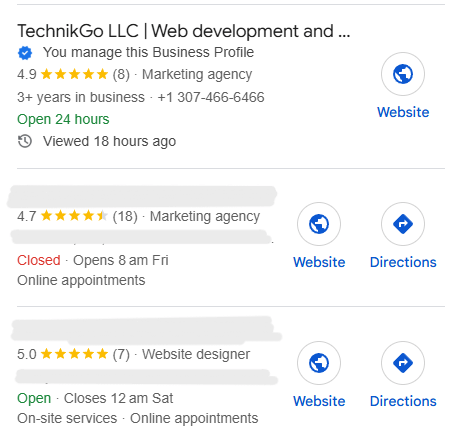
Google uses a few core signals to decide which businesses appear on Google Maps. The most important factors are relevance, distance, and profile health.
Relevance measures how closely a business matches what someone is searching for. This depends on accurate categories, clear descriptions, services, and overall profile clarity. Distance refers to how close the business is to the search location. While proximity matters, it is not enough on its own.
Profile health ties everything together. Consistent information, reviews, photos, and regular activity signal trust. Google prefers businesses that appear reliable and well maintained. Stable profiles with steady signals are favored over those that change frequently or rely on short-term tactics.
Fixing the basics often brings a Google Maps listing back, but not always. Some businesses correct their information, update categories, add photos, and stay active, yet the listing still does not reappear. When this happens, the issue is usually deeper than what is visible in the profile dashboard.
Hidden problems such as relevance conflicts, suppressed profile fields, historical data issues, or trust signals outside the profile can quietly block visibility. These are not easy to spot and are often missed when relying only on surface-level checks. Making repeated changes without understanding the root cause can actually delay recovery.
For businesses that struggle to identify why their listing is missing despite fixing the basics, getting help from a dedicated support team can uncover deeper visibility issues that are easy to miss.
At this stage, the focus should shift from trial and error to careful diagnosis and safe resolution.
When a business disappears from Google Maps, recovery rarely happens overnight. Visibility improves gradually because Google needs time to re-evaluate trust, relevance, and consistency after changes are made.
Temporary delays are common, especially after updates or verifications. These short gaps do not always indicate a serious issue. Real problems tend to show ongoing invisibility even after accurate information and activity are restored.
Progress usually appears over several weeks. Early signs include increased profile views, occasional impressions, or the listing appearing for limited searches. As trust rebuilds, visibility becomes more consistent.
Patience matters. Businesses that remain accurate and steady during recovery are more likely to reappear and stay visible than those that make frequent changes out of frustration.
Preventing Google Maps visibility issues is much easier than fixing them after they happen. The key is simple, regular maintenance rather than constant changes.
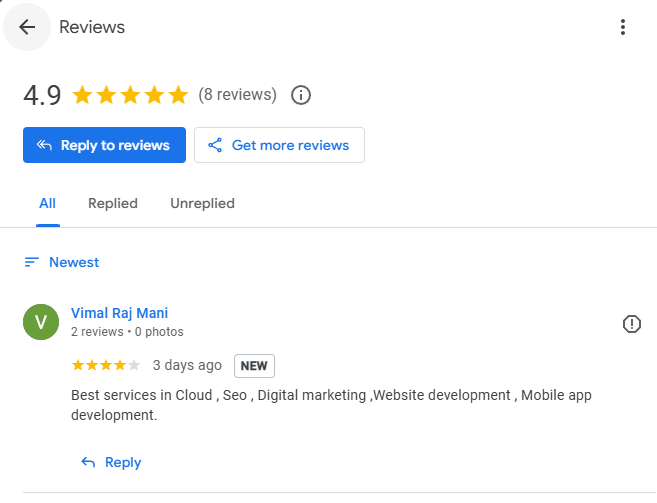
Start with monthly profile checks. Review customer reviews, respond where appropriate, and confirm that your business information, hours, and contact details are still accurate. Adding a few new photos occasionally also helps keep the profile active.
Every quarter, review your categories and services to make sure they still reflect what your business offers. Only make changes when something is outdated or incorrect. Frequent adjustments without a clear reason can create instability.
When business changes occur, update the profile carefully and accurately. Rushed edits often lead to inconsistencies. Prevention works because Google values stability. A well-maintained profile is far easier to keep visible than one that needs recovery.
A missing Google Maps listing is usually the result of overlooked fundamentals, not penalties or hidden rules. In most cases, the problem can be fixed by restoring accuracy, relevance, and consistent activity.
Google Maps visibility is built on trust, not tricks. Profiles that stay clear, honest, and well maintained perform better than those chasing quick fixes. Small improvements made consistently have a much stronger impact than aggressive changes.
A healthy profile supports stable local visibility and protects your business from disappearing again. Take time to review your Google Business Profile carefully using the checks outlined in this guide and make updates with purpose rather than urgency.